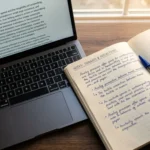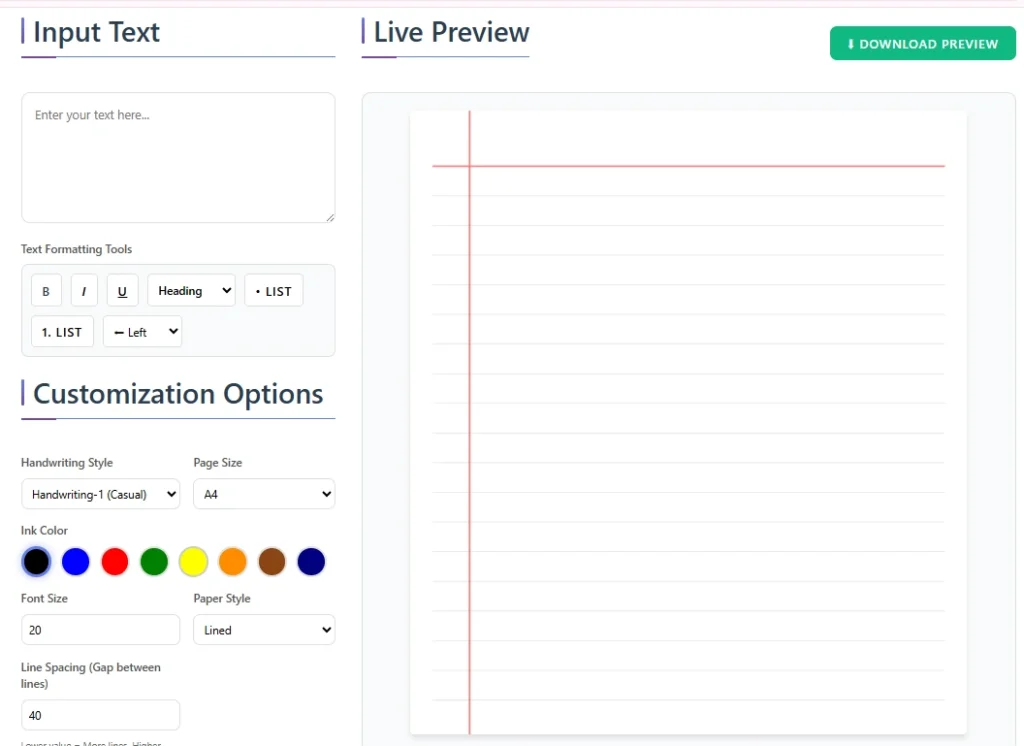

A text to handwriting converter allows you to turn typed digital text into realistic handwritten notes within seconds. Instead of writing pages manually, you simply paste your content, choose a handwriting style, adjust formatting, and download a handwritten-looking document.
Students use it for assignments and homework. Teachers use it for worksheets and practice sheets. Content creators use it for journals, planners, and printable materials.
If you’re looking for a simple way to convert typed text into handwritten notes, this complete guide explains everything — how it works, its features, use cases, safety concerns, and how to get the most realistic results.
What Is a Text to Handwriting Converter?
A text to handwriting converter is an online tool that transforms digital text into a handwritten format. It simulates natural handwriting by applying stylistic fonts, spacing adjustments, stroke variation, and page formatting.
Unlike simple handwriting fonts, advanced converters recreate the appearance of real writing on notebook-style pages, including:
- Line spacing
- Margin alignment
- Ink texture
- Natural character variation
- Page background options (ruled, plain, etc.)
This makes the final output look more authentic than just changing the font in a word processor.
How Text to Handwriting Works
Understanding how it works helps you get better results.
1. Text Rendering Engine
When you enter typed content, the system maps each character to a handwriting-style glyph. Instead of uniform digital letters, it uses variations of characters to create a more natural feel.
2. Stroke & Spacing Simulation
To avoid robotic repetition, advanced tools apply:
- Slight spacing inconsistencies
- Variable stroke thickness
- Natural baseline shifts
These micro-adjustments mimic human imperfections.
3. Page Layout Formatting
The tool places your content onto a virtual page with:
- Custom margins
- Adjustable line height
- Notebook-style backgrounds
You can then export the result as a PDF or image.
Key Features of a Good Text to Handwriting Tool
If you want realistic output, look for these features:
Multiple Handwriting Styles
Different cursive and print options improve personalization.
PDF Export
Download your handwritten notes instantly in PDF format.
Page Customization
Adjust:
- Margins
- Line spacing
- Font size
- Ink color
Background Options
Choose from:
- Lined notebook paper
- Plain white paper
- Grid paper
Handwriting Repetition
Helpful when repeating paragraphs or formatting assignments consistently.
Signature Support
Add a handwritten-style signature at the bottom of assignments or letters.
Step-by-Step Guide: How to Convert Text to Handwriting
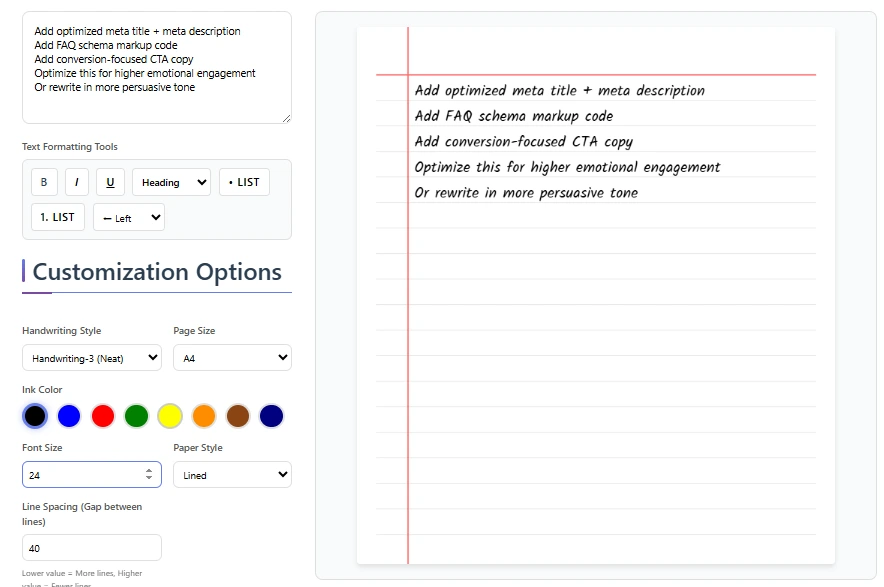
Follow these steps:
Step 1: Enter Your Text
Paste or type your content into the tool.
Step 2: Select a Handwriting Style
Choose from available cursive or print options.
Step 3: Adjust Formatting
Modify:
- Line spacing
- Margins
- Font size
- Page background
Step 4: Download
Export as a PDF or image file.
That’s it — your handwritten document is ready.
Common Use Cases
For Students
- Handwritten assignments
- Homework submissions
- Class notes
- Project reports
It saves time while keeping the handwritten appearance required by some institutions.
For Teachers
- Practice worksheets
- Handwriting samples
- Educational printables
For Content Creators
- Journaling pages
- Printable planners
- Study materials
- Creative projects
Text to Handwriting vs Handwriting Fonts
| Feature | Text to Handwriting Tool | Basic Handwriting Font |
|---|---|---|
| Realistic variation | Yes | No |
| Page formatting | Yes | Limited |
| Natural spacing | Yes | No |
| PDF ready output | Yes | No |
| Background simulation | Yes | No |
Using a simple font inside a document editor often looks artificial. A dedicated converter produces more authentic results.
Is Text to Handwriting Safe & Legal?
This depends on how you use it.
Safe Uses
- Personal notes
- Creative projects
- Worksheets
- Journals
Academic Use
Some schools may have policies about digitally generated handwritten assignments. It’s important to follow your institution’s rules.
The tool itself is not illegal. Ethical usage depends on context.
Advantages of Using a Text to Handwriting Converter
- Saves time
- Produces clean formatting
- Easy PDF export
- Customizable layout
- Works on mobile and desktop
Limitations to Consider
- It may not perfectly match your personal handwriting
- Overuse of repeated patterns may look unnatural
- Some advanced features may be limited in free versions
Being aware of these limitations helps you use the tool more effectively.
Tips to Make Handwriting Look More Realistic
To improve authenticity:
- Avoid extremely perfect spacing
- Slightly adjust line height
- Use moderate font size
- Break large paragraphs naturally
- Choose subtle ink colors
Small adjustments significantly improve realism.
Frequently Asked Questions
Is text to handwriting detectable?
It depends on how realistic the output is and the context of use. High-quality tools reduce uniformity and add natural variation.
Can teachers tell if it’s generated?
Some educators may notice if formatting looks too perfect. Adjust spacing and style for more natural output.
Is text to handwriting free?
Many tools offer free versions with limited features, while premium versions provide advanced customization.
Can I convert PDF to handwriting?
Yes. Many platforms allow you to upload PDF content and convert it into handwritten format.
Does it work on mobile?
Most modern tools are fully responsive and work on smartphones and tablets.
Can I change handwriting styles?
Yes. You can choose between multiple handwriting designs.
Is it legal to use for assignments?
Legality depends on institutional policies. Always follow your school’s guidelines.
How realistic is AI handwriting?
Advanced systems apply character variation, spacing randomness, and stroke simulation to improve authenticity.
Related Tools You May Need
- PDF to Handwriting Converter
- Handwriting Repeater
- Handwriting Font Generator
- Handwritten Signature Generator
Using these tools together allows full customization of your handwritten documents.
Final Thoughts
A text to handwriting converter is a powerful tool for turning typed content into realistic handwritten notes quickly and efficiently. Whether you’re preparing assignments, creating worksheets, or designing printables, it saves time while maintaining a handwritten appearance.
With proper formatting and ethical usage, it can be a practical solution for students, teachers, and creators alike.
If you’re ready to transform your typed text into natural-looking handwritten documents, start using a reliable text to handwriting tool today.